
Buying your first Bitcoin can feel a bit like walking into a foreign airport with no signs in your language. There are new terms, lots of buttons, and a nagging worry about getting something wrong. The good news is that Binance.US has made the process simpler than it used to be, and once you’ve done it one time it feels routine.
This guide walks you through the whole process: opening an account, verifying your identity, adding money, placing your first order, and keeping your Bitcoin safe afterward. You’ll also see which fees to expect and a few beginner mistakes to avoid.
What Is Binance.US and How Is It Different From Binance?
Binance.US is the American branch of the Binance brand. It runs separately from the global Binance exchange and is set up to follow U.S. rules. Americans can’t legally use the global Binance.com platform, so Binance.US is the option built for them.
The main differences come down to coin selection, features, and regulation. Binance.US lists fewer coins and offers fewer advanced products than its global sibling, but it’s built for U.S. customers, lets you use U.S. bank accounts, and supports dollar deposits.
| Feature | Binance.US | Binance.com (Global) |
|---|---|---|
| Available to U.S. residents | Yes (in most states) | No |
| USD bank deposits (ACH) | Yes | Not for U.S. users |
| Number of listed coins | Smaller selection | Very large selection |
| Futures and margin trading | Not offered | Offered in many regions |
| Regulatory focus | U.S. federal and state rules | Varies by country |
Can You Use Binance.US in Your State?
Check this before anything else. Binance.US isn’t available everywhere in the country, and the list of supported states changes from time to time.
According to the Binance.US Help Center, residents of the following places currently can’t open or verify an account:
| Unsupported States and Territories | |
|---|---|
| Alaska | North Dakota |
| Connecticut | Ohio |
| Georgia | Oregon |
| Maine | Texas |
| New York | Vermont |
| North Carolina | Washington |
| American Samoa, Guam, Northern Mariana Islands, U.S. Virgin Islands |
Two states, Kansas and Wisconsin, are “crypto-only.” People there can sign up and trade, but they can’t link a bank account or deposit U.S. dollars. They’d need to transfer crypto in from somewhere else first.
If your state isn’t on either list, you can use every feature covered in this guide. Double-check the official support page before you sign up, since state availability can change.
What You Need Before You Start
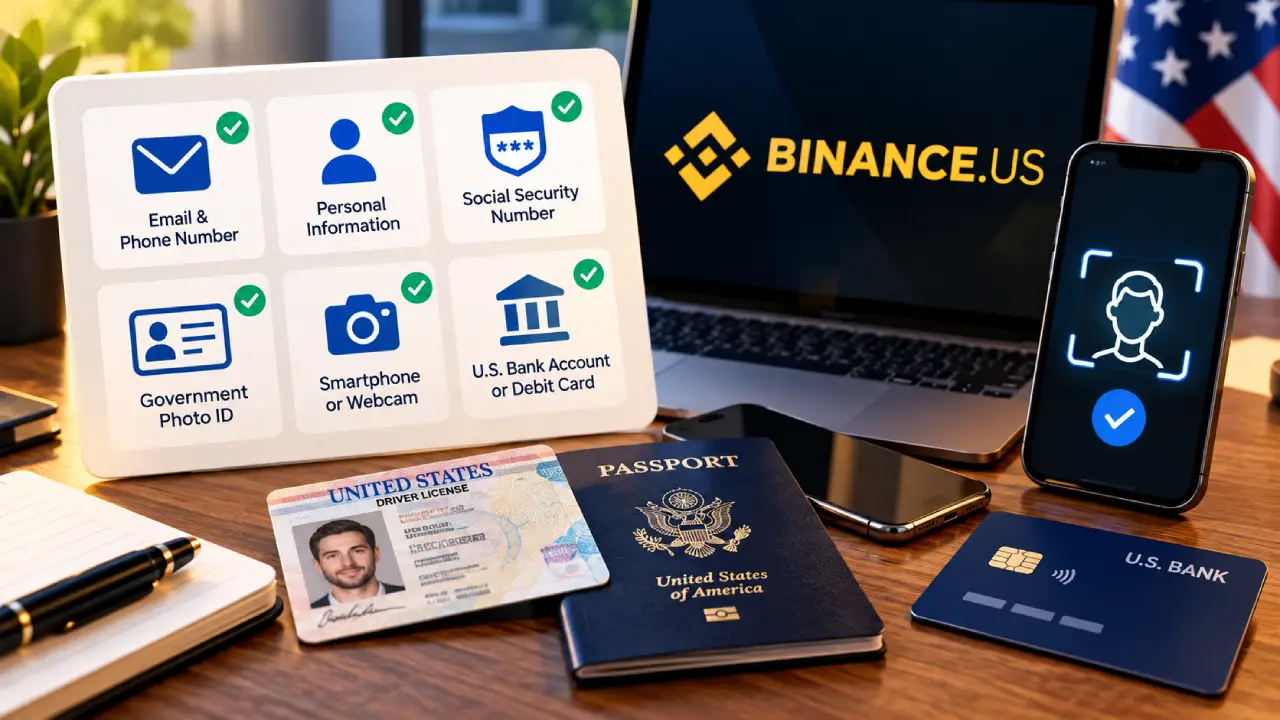
Having everything ready makes the signup much faster. Most people finish verification in one sitting if they have these items on hand:
- A valid email address and a phone number that can receive texts
- Your full legal name, date of birth, and home address
- Your Social Security Number
- A government-issued photo ID, such as a driver’s license or passport
- A smartphone or webcam for the face check
- A U.S. bank account or debit card for funding
Step 1: Create Your Binance.US Account
Go to the official Binance.US website or download the Binance.US app from the Apple App Store or Google Play. Always type the address yourself or use the official app store listing. Fake crypto sites that copy real exchanges are common, and they’re built to steal login details.
Tap Sign Up, enter your email, and pick a strong password. Binance.US will send a code to your inbox to confirm the address. After that, add your phone number and confirm it with the code sent by text.
Step 2: Verify Your Identity
Like every regulated U.S. exchange, Binance.US has to confirm who you are before you can trade. This process is called KYC, short for “Know Your Customer.”
There are two levels of verification:
| Verification Level | What You Provide | What It Unlocks |
|---|---|---|
| Basic | Legal name, date of birth, SSN, home address | Limited access to account features |
| Advanced | Everything above plus photo ID and a face scan | Full trading, deposits, and withdrawals |
To buy Bitcoin with money from your bank, you’ll want Advanced verification. The app will ask you to photograph the front and back of your ID and then take a short selfie video. Approval is often done in minutes, though it can take longer during busy periods.
Tip: Take your ID photos in good light on a dark, plain surface. Blurry or glare-covered pictures are the most common reason for delays.
Step 3: Turn On Two-Factor Authentication
Before you put any money in, protect your account. Two-factor authentication (2FA) adds a second check when you log in or withdraw, so a stolen password alone isn’t enough to get into your account.
Open Security in your account settings and turn on an authenticator app such as Google Authenticator or Authy. Text-message codes are better than nothing, but authenticator apps are harder for attackers to intercept. Write down your backup key and keep it somewhere offline and safe.
Step 4: Deposit Money Into Your Account
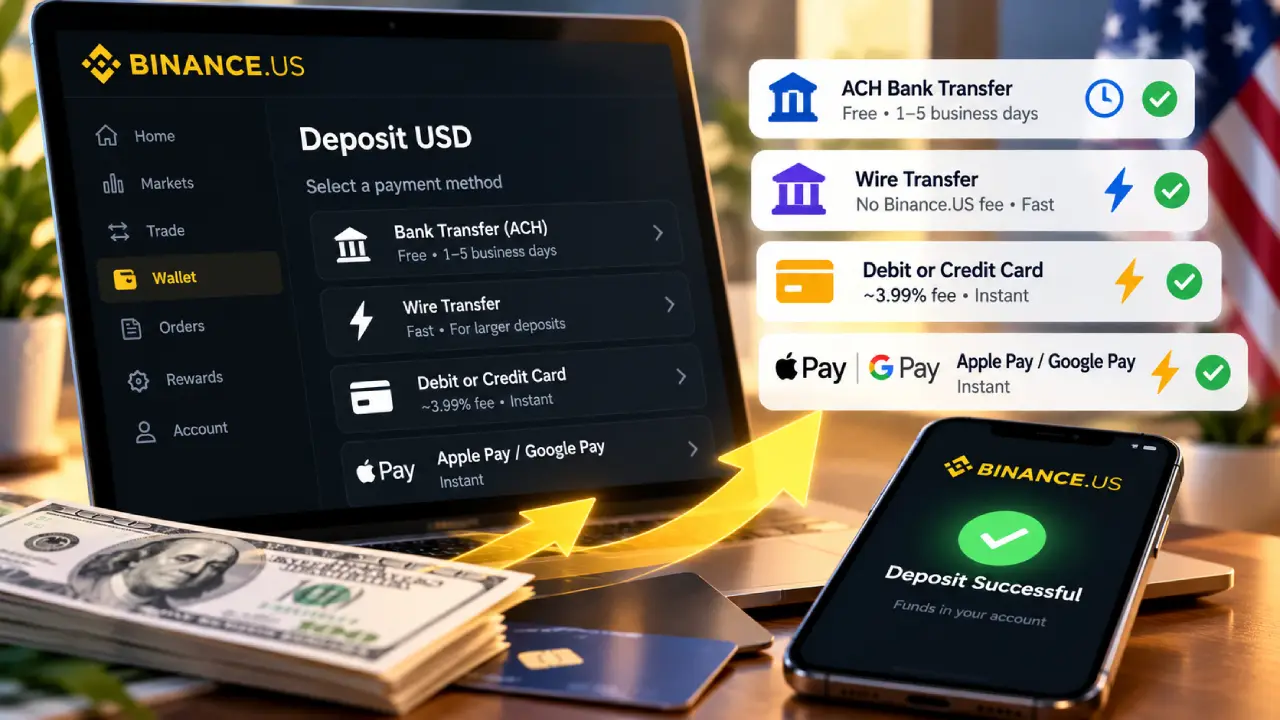
Now it’s time to add funds. Binance.US offers several payment methods, and they differ quite a bit in cost and speed.
| Funding Method | Typical Cost | Speed | Best For |
|---|---|---|---|
| ACH bank transfer | Free | 1 to 5 business days | Lowest-cost option for most people |
| Domestic wire transfer | No deposit fee from Binance.US (your bank may charge one) | Usually same or next business day | Larger deposits |
| Debit or credit card | About 3.99% plus any card issuer fee | Instant | Small, quick purchases |
| Apple Pay or Google Pay | Similar to card pricing | Instant | Mobile app users who want speed |
For most beginners, ACH is the smart choice. It costs nothing to deposit, and you only have to link your bank once. Go to Wallet, choose Deposit, select USD, and follow the prompts to connect your bank.
Cards are handy if you want to buy right away, but the fee adds up. A $500 card purchase could cost you around $20 in fees, while the same deposit by ACH would cost nothing.
Step 5: Buy Your First Bitcoin
With money in your account, you can buy Bitcoin in two main ways. Which one you pick depends on how comfortable you are with trading screens.
Option A: The Simple Buy Feature
This is the easiest route and works well for your first purchase.
- Tap Buy & Sell (or Buy Crypto) on the home screen.
- Choose BTC as the coin you want.
- Enter the dollar amount you want to spend. Purchases can start as low as $1.
- Select your payment source, either your USD balance or a card.
- Review the price and fees shown on the preview screen, then confirm.
Your Bitcoin appears in your Binance.US wallet within seconds.
Option B: Spot Trading
The spot trading screen looks busier, but it’s usually cheaper. According to the fee details listed by Binance.US and independent reviews, spot trades on most pairs currently carry a 0% maker fee and a very low taker fee.
- Go to Trade and select Spot (Advanced mode on the website).
- Search for the BTC/USD trading pair.
- Pick your order type (see the table below).
- Enter the amount of Bitcoin or dollars and confirm the order.
| Order Type | How It Works | When to Use It |
|---|---|---|
| Market order | Buys right away at the best available price | You want Bitcoin now and don’t mind small price changes |
| Limit order | Buys only when Bitcoin reaches a price you set | You have a target price and can wait |
| Stop-limit order | Places a limit order once a trigger price is hit | More advanced strategies and risk control |
If you’re new, a market order is fine for a small first purchase. As you get comfortable, limit orders give you more control and often keep costs lower.
Understanding Binance.US Fees
Fees are one of the biggest reasons people choose one exchange over another. Here’s a simple overview of what you can expect on Binance.US. Fees change over time, so confirm current rates on the official fee page before you trade.
| Fee Type | Approximate Cost |
|---|---|
| Spot trading (maker) | 0% on most pairs |
| Spot trading (taker) | Around 0.02% on most pairs |
| Card or instant purchase | About 3.99% plus issuer charges |
| ACH deposit | Free |
| Wire withdrawal | $25 |
| Bitcoin withdrawal | Varies with network conditions |
You can also get a small discount on trading fees by paying them with BNB, the Binance ecosystem coin, though that’s optional and not something a beginner needs to worry about.
Step 6: Decide Where to Store Your Bitcoin
After you buy, your Bitcoin sits in your Binance.US account. That’s convenient if you plan to trade often, but it means the exchange holds the keys to your coins. Many long-term holders prefer to move their Bitcoin into a wallet they control.
| Storage Option | Who Controls the Keys | Convenience | Security Level |
|---|---|---|---|
| Binance.US exchange wallet | The exchange | Very high | Depends on the exchange |
| Mobile or desktop software wallet | You | High | Good if your device is secure |
| Hardware wallet (for example, Ledger or Trezor) | You | Moderate | Very high |
To withdraw, go to Wallet, choose BTC, tap Withdraw, and paste your wallet address. Always check the first and last few characters of the address before you confirm. Bitcoin transactions can’t be reversed, so a single wrong character could mean losing your funds for good.
A good first move is to send a small test amount, confirm it arrives, and then send the rest.
Common Beginner Mistakes to Avoid
Most early losses in crypto come from small, avoidable errors rather than bad luck. Watch out for these:
- Paying card fees on large buys. Use ACH for anything beyond a small, quick purchase.
- Skipping 2FA. An unprotected account is an easy target.
- Clicking links in emails or texts. Binance.US staff will never ask for your password or 2FA codes.
- Investing money you’ll need soon. Bitcoin’s price can drop sharply in a short time.
- Ignoring taxes. In the U.S., selling or trading crypto can create a taxable event. Keep records of your purchases and sales.
- Sending to the wrong network. When withdrawing, make sure the network you pick matches what your receiving wallet supports.
Smart Strategies for New Bitcoin Buyers
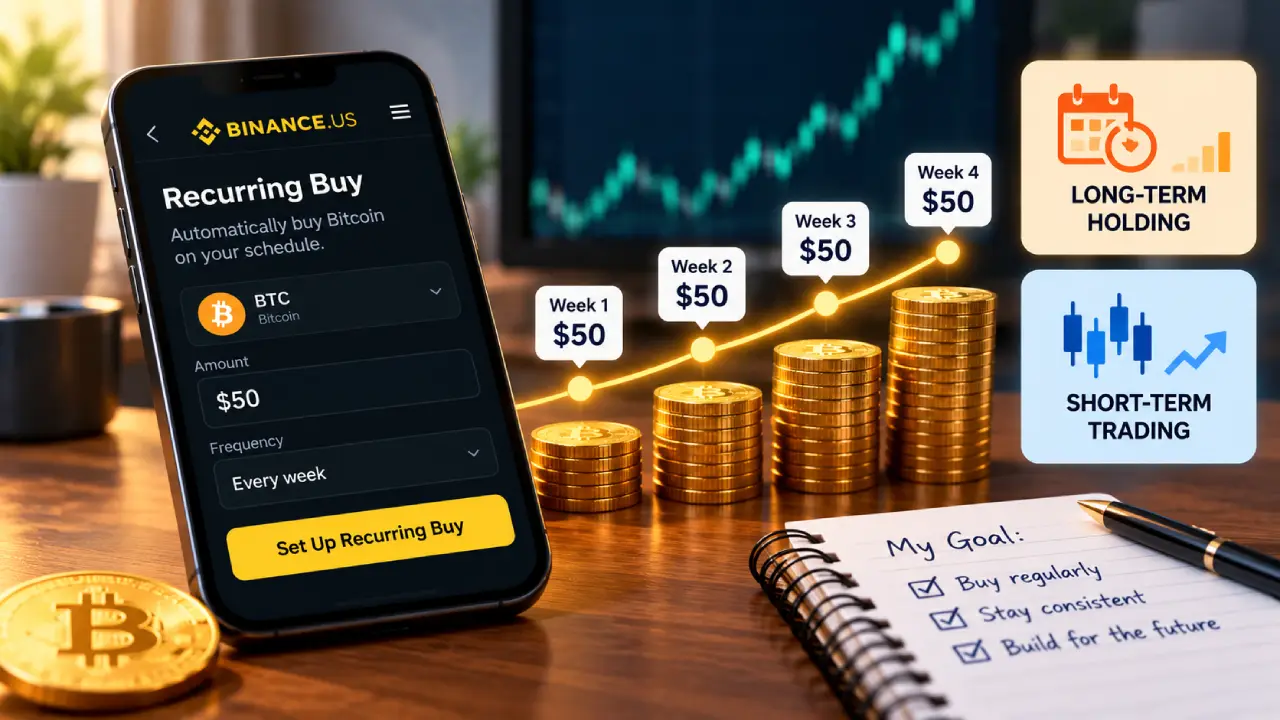
You don’t have to guess the perfect moment to buy. Many beginners use dollar-cost averaging, which means buying a fixed dollar amount on a regular schedule, such as $50 every week. This smooths out price swings and takes the emotion out of timing the market. Binance.US offers a Recurring Buy feature that can automate this for you.
It also helps to set a clear goal before you start. Are you holding for years, or hoping to trade short-term? Your answer affects where you store your Bitcoin, how often you buy, and which order types make sense.
Is Binance.US a Good Choice for Beginners?
For people in supported states, Binance.US has a lot going for it. Trading fees on spot pairs are among the lowest in the U.S. market, ACH deposits are free, and the simple Buy feature is easy to use. The main drawbacks are limited availability in some states, a smaller coin selection than the global Binance platform, and higher costs when you pay by card.
| Pros | Cons |
|---|---|
| Very low spot trading fees | Not available in several states |
| Free ACH deposits | Card purchases are expensive |
| Beginner-friendly Buy feature | Fewer coins than Binance.com |
| Recurring buy option | No futures or margin trading |
| Mobile app with Apple Pay and Google Pay | Past regulatory scrutiny may concern some users |
Frequently Asked Questions
How much money do I need to buy Bitcoin on Binance.US?
You can start with as little as $1. You don’t have to buy a whole Bitcoin. You can buy a small fraction, measured in satoshis (one hundred-millionth of a Bitcoin).
How long does it take to buy Bitcoin on Binance.US?
If you pay by card, the purchase is instant once your account is verified. ACH deposits can take a few business days to clear before the funds are fully available.
Is it safe to keep Bitcoin on Binance.US?
Binance.US uses security measures like 2FA and withdrawal protections, but any exchange carries some risk. For large or long-term holdings, many people move their Bitcoin to a hardware wallet.
Do I have to pay taxes on Bitcoin bought through Binance.US?
Simply buying and holding Bitcoin isn’t usually taxable in the U.S. Selling it, trading it for another coin, or spending it may create a taxable gain or loss. Binance.US provides transaction history you can use for tax reporting. For your own situation, talk to a tax professional.
Can I buy Bitcoin on Binance.US without verifying my identity?
No. Advanced identity verification is required to deposit money and trade, in line with U.S. regulations.
What You Need to Know
Buying Bitcoin on Binance.US comes down to a few clear steps: confirm your state is supported, create and verify your account, secure it with 2FA, fund it by ACH to avoid extra fees, and place your first order. From there, choose a storage method that fits your plans.
Start small, take your time learning the platform, and only invest what you can afford to leave alone through the market’s ups and downs. With a careful approach, your first Bitcoin purchase can be the start of a confident, well-informed crypto journey.
This article is for educational purposes only and is not financial advice. Cryptocurrency is volatile, and you should do your own research before investing.